
Finding the best golf simulator for home used to mean spending a small fortune on pro-grade equipment. That’s no longer the case. In 2026, you can build a solid home setup for under $2,000. Some of the most capable systems fit almost any budget.
Whether you’re a casual golfer or chasing a lower handicap, a perfect simulator awaits. This guide covers the top five picks and everything you need to make the right call.
What Are the Best Golf Simulators for Home?
The best golf simulators for home in 2026 are the SkyTrak+, Garmin Approach R10, FlightScope Mevo+, Foresight Sports GC3, and PhiGolf.
Each one targets a different golfer, from beginners on a budget to serious players who need pro-grade data. Take a quick look at how they compare before diving into the details.
Quick Comparison Table
| Simulator | Best For | Technology | Price Range |
| SkyTrak+ | Best Overall | Dual Doppler + Photometric | Around $2,995 |
| Garmin Approach R10 | Best Budget | Doppler Radar | Around $599 |
| FlightScope Mevo+ | Best Value | Doppler Radar | Around $2,199 |
| Foresight Sports GC3 | Best Premium | 3-Camera Photometric | Around $6,999 |
| PhiGolf | Small Spaces | Optical Sensor | Around $199 |
Let’s break down each pick in full.
1. Best Overall Golf Simulator: SkyTrak+
The SkyTrak+ earns the top spot as the best golf simulator for home overall. It uses a dual-technology approach, combining photometric cameras with Doppler radar for professional-level accuracy.
You get spin axis data and reliable performance without spending $10,000 on a pro-grade system. Serious golfers trust it because it delivers the kind of data that actually moves the needle.
Key Features
The SkyTrak+ tracks and measures all of the following:
- Ball speed and launch angle
- Spin rate and spin axis
- Carry distance and total distance
- Club path and face angle
Pros:
- Dual-technology accuracy for spin and ball data
- No ball or club stickers required
- Compatible with GSPro, E6 Connect, and The Golf Club 2019
- Works as a portable outdoor launch monitor too
Cons:
- Monthly software subscription required for full simulator features
- Higher upfront cost compared to budget options
Best For: Serious home golfers who want accurate data and a complete simulator experience.
Price Range: Around $2,995 for the launch monitor. Full simulator packages with a screen and enclosure start at a higher total.
2. Best Budget Golf Simulator: Garmin Approach R10
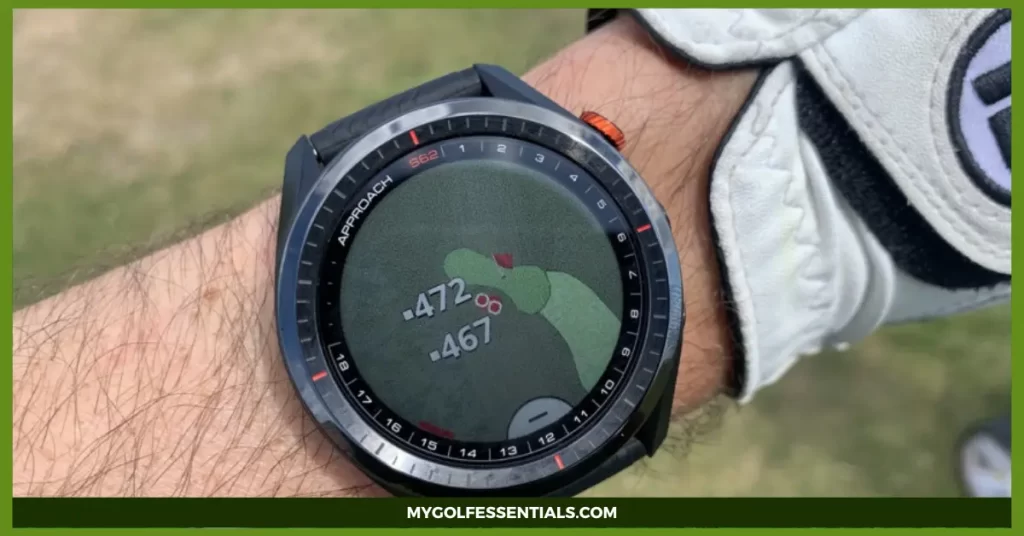
The Garmin R10 stands out as the best budget golf simulator for home, and it overdelivers at its price point. For under $600, you get access to over 45,000 virtual courses through the Garmin Golf app. That kind of value is hard to beat anywhere in the market.
Key Features
The Garmin R10 captures these data points on every swing:
- Ball speed and club head speed
- Launch angle and estimated spin rate
- Carry and total distance
- Club path and face angle
Pros:
- Extremely affordable at around $599
- Massive course library via the Garmin Golf app
- Portable and quick to set up in minutes
- Works both indoors and outdoors
Cons:
- Short game shots don’t register as cleanly as full swings
- Spin measurement is less precise than photometric alternatives
- Bright sunlight and wind can affect outdoor accuracy
Best For: Beginners and casual golfers who want a fun, affordable home setup without a major financial commitment.
Price Range: Around $599 for the launch monitor.
3. Best Value Golf Simulator: FlightScope Mevo+
The FlightScope Mevo+ is the mid-range workhorse of home golf simulators. It bridges the gap between the budget Garmin R10 and the premium SkyTrak+. You get strong radar tracking, solid accuracy both indoors and outdoors, and full compatibility with popular simulator software platforms.
Key Features
The Mevo+ captures and measures these data points:
- Ball speed and club head speed
- Launch angle and vertical descent angle
- Spin rate (with optional stickers for indoor use)
- Carry distance, total distance, and smash factor
Pros:
- Reliable mid-range accuracy at a fair price
- Performs consistently indoors and outdoors
- Compatible with E6 Connect, TGC 2019, and more
- Portable and straightforward to set up
Cons:
- Requires reflective stickers on the ball for best indoor accuracy
- Needs at least 8 feet behind the hitting position
Best For: Golfers who want more data than a budget monitor but aren’t ready to commit to a premium investment.
Price Range: Around $1,999 to $2,199.
4. Best Premium Golf Simulator: Foresight Sports GC3
The Foresight Sports GC3 is the go-to choice for golfers who demand professional-level data at home. Three high-speed cameras capture impact data with tour-level precision. Instructors and low handicappers trust it because its spin axis accuracy is unmatched at this price point.
Key Features
The GC3 measures all of these data points at impact:
- Ball speed and club head speed
- Launch angle and spin axis
- Spin rate and spin loft
- Dynamic loft, smash factor, and club face data
Pros:
- Tour-trusted accuracy in a compact photometric unit
- No ball or club stickers needed
- Integrates seamlessly with FSX 2020 simulator software
- Delivers elite spin data for real swing analysis
Cons:
- Significant upfront investment
- Requires a software subscription for full access to features
- Less portable than radar-based systems
Best For: Instructors, low handicappers, and serious golfers who prioritize data accuracy above everything else.
Price Range: Around $6,999 for the launch monitor.
5. Best Golf Simulator for Small Spaces: PhiGolf
Not every golfer has a spare garage or dedicated room for a full simulator bay. PhiGolf solves that problem with a compact swing analyzer that connects directly to your phone or tablet. It needs almost no extra space, making it the most practical solution for golfers in smaller homes or apartments.
Key Features
A few things that make PhiGolf stand out for tight spaces:
- Ultra-compact swing device that fits any room
- No projector, screen, or enclosure required
- Bluetooth connection to the PhiGolf app on your device
- Compatible with WGT Golf and E6 Connect
Pros:
- The most space-efficient option on this entire list
- Very low cost compared to full simulator builds
- Sets up in minutes using just a phone or tablet
- Great for casual entertainment and fun home golf
Cons:
- No real launch monitor data like spin rate or actual ball speed
- Not suitable for serious swing analysis or data-driven improvement
- Much more limited experience compared to full-screen systems
Best For: Golfers with minimal space who want casual, entertaining home golf at a low cost.
Price Range: Around $199 to $249.
What Is a Home Golf Simulator and How Does It Work?
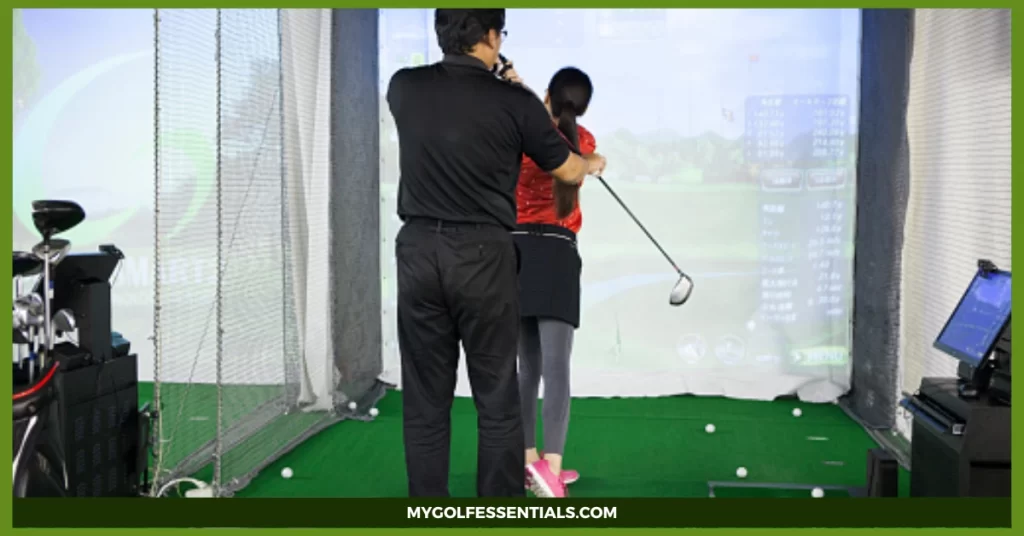
A home golf simulator lets you hit real golf shots indoors and see the ball fly across a virtual course on screen. You swing a real club and hit a real ball into an impact screen.
A launch monitor captures your shot data and calculates ball flight in real time. That data feeds into simulator software, which renders your shot across famous courses like Pebble Beach or St. Andrews.
The launch monitor is the brain of the entire setup. It uses cameras, radar, or a combination of both to measure ball and club data at the moment of impact. The accuracy of this data determines how realistic and useful your simulator experience becomes.
Main Components of a Home Golf Simulator
A complete home simulator setup needs all of these components working together:
- Launch Monitor – Captures ball speed, spin, launch angle, and club data at impact
- Simulator Software – Displays virtual courses and provides practice modes
- Impact Screen – Catches the ball and displays the projected image
- Projector – Projects the simulator software onto the impact screen
- Hitting Mat – Provides a realistic turf surface to swing from
- Enclosure – Protects walls and contains any stray shots safely
Each part plays a specific role in the overall experience. Skimp on any one of them and the quality drops noticeably.
Launch Monitor Technology Compared
Here’s a side-by-side look at how the top four launch monitors stack up across key performance factors.
| Launch Monitor | Technology | Indoor Performance | Outdoor Use | Spin Axis Tracking | Space Needed Behind |
| Garmin R10 | Doppler Radar | Good | Good | Estimated | ~2 feet |
| FlightScope Mevo+ | Doppler Radar | Very Good | Very Good | Limited | ~8 feet |
| SkyTrak+ | Radar + Photometric | Excellent | Good | Yes | ~2 feet |
| Foresight GC3 | 3-Camera Photometric | Excellent | Good | Yes | ~2 feet |
What Are the Different Types of Home Golf Simulators?
There are four main types of home simulator setups available today. Knowing which one fits your space and goals saves you time and money down the line.
Portable Golf Simulator Setups are lightweight and easy to move or store. The Garmin R10 fits this category well. These cost less and offer more flexibility, though they trade off some accuracy and immersion for convenience.
Dedicated Indoor Simulator Systems are permanent builds inside a room or garage. Full enclosures, large impact screens, and ceiling-mounted projectors create the most immersive experience. The SkyTrak+ and GC3 shine in this kind of setup and deliver a realistic simulator bay feel.
Camera-Based Simulators use high-speed photometric cameras to track ball and club data. They deliver the best accuracy indoors, especially for spin measurements. The Foresight GC3 leads this category and performs best under consistent indoor lighting.
Radar-Based Simulators track ball flight using Doppler radar technology. The Garmin R10, Mevo+, and part of the SkyTrak+ system all use radar. These offer great flexibility because they perform well both indoors and outdoors.
What Features Should You Look for Before Buying?
Buying a home simulator is a real investment. Checking these factors carefully first saves you from making costly mistakes later.
1. Room Dimensions and Space Requirements
Room size is the single most important factor many golfers overlook before buying. These are the minimum requirements for most simulator setups:
- Ceiling height: At least 9 feet, ideally 10 feet or more
- Room width: At least 12 to 15 feet across
- Room depth: At least 15 to 20 feet for full swing room
- Side clearance: At least 4 to 5 feet on each side of the hitting position
Measure your room before you order anything. A simulator you can’t swing freely in is just an expensive decoration.
2. Accuracy and Data Tracking
Not every launch monitor measures the same data points with the same precision. If game improvement is your main goal, prioritize spin rate accuracy and club data. If entertainment comes first, basic ball speed and distance readings are more than enough to enjoy the experience.
3. Simulator Software Compatibility
Great hardware needs great software to back it up. Look for systems compatible with these popular platforms:
- E6 Connect – Realistic graphics and a large course library
- GSPro – Preferred by serious golfers for accuracy and realism
- The Golf Club 2019 – Wide course selection and strong gameplay
- WGT Golf – A free option for casual practice and entertainment
Some systems lock you into one software platform permanently. Always check compatibility before committing to a purchase.
4. Total Cost of Ownership
The launch monitor price is just the starting point. Many golfers forget to budget for everything else involved in a full setup. Factor in these additional costs:
- Software subscriptions, typically $100 to $300 per year
- Impact screen and enclosure
- Projector purchase and setup
- Quality hitting mat
- Installation time and any extra hardware
The total cost of a home simulator often runs 30 to 50 percent higher than the launch monitor price alone. Plan for this upfront.
How Do You Choose the Right Golf Simulator for Your Game?
The right simulator depends entirely on your goals, budget, and available space. Here’s a quick breakdown based on the type of golfer you are.
For Beginners: Start with the Garmin R10. It’s affordable, easy to set up, and opens up thousands of virtual courses immediately. You don’t need pro-level data when you’re still developing your fundamentals.
For Casual Golfers: The FlightScope Mevo+ is the strongest pick here. Solid data, outdoor capability, and a mid-range price that won’t break the bank. It strikes the right balance between performance and entertainment value.
For Serious Players: The SkyTrak+ or Foresight GC3 are both excellent choices. Each delivers the accuracy needed to identify specific swing flaws and track real improvement over time. If budget isn’t a concern, the GC3 sets the gold standard for home use.
For Small Spaces: PhiGolf is the most practical answer. No screen, no projector, and no enclosure needed. Just swing, connect your device, and play.
Common Mistakes Golfers Make When Buying a Golf Simulator
Most golfers make at least one costly mistake when buying their first home simulator. Here’s how to avoid the big ones.
1. Ignoring Room Measurements is the most common mistake in the entire buying process. Golfers buy a system before measuring ceiling height or room depth, then realize they can’t swing freely in the space. Always measure first and purchase second.
2. Choosing the Wrong Launch Monitor creates accuracy problems down the line. Radar systems excel at full swing tracking but struggle with short game shots indoors. If chipping and pitching are part of your practice routine, lean toward a camera-based system like the GC3.
3. Overlooking Software Costs catches many buyers off guard after the purchase. Some platform subscriptions cost $200 or more per year. That expense adds up significantly over three to five years, so build it into your total upfront budget.
4. Buying a Low-Quality Hitting Mat damages both your swing feedback and your joints. Thin, hard mats give poor impact feel and increase the risk of wrist and elbow injuries over time. A quality mat is worth the extra investment.
5. Underestimating Setup Requirements frustrates many first-time buyers. Even systems marketed as “easy to set up” take real time and effort to assemble correctly. Full enclosures can take an entire weekend to build and align properly.
Final Thoughts
The best golf simulator for home isn’t simply the most expensive option on the market. It’s the one that fits your space, matches your goals, and motivates you to practice more.
The Garmin R10 delivers exceptional value under $600. The SkyTrak+ balances accuracy and affordability for serious golfers who don’t want to overspend. The Foresight GC3 raises the bar for data precision and professional training at home.
No matter your budget, a home simulator transforms how you train and play year-round.
Key Takeaways
- The best golf simulator for home depends on your budget, goals, and available room size
- The SkyTrak+ is the top overall pick for serious home golfers in 2026
- The Garmin R10 delivers remarkable value for under $600
- Camera-based systems like the Foresight GC3 offer the most precise spin axis data
- Always measure your room dimensions before purchasing any simulator equipment
- Software subscriptions significantly increase the total cost of ownership
- Most full simulator setups require a minimum ceiling height of 9 feet
- Radar-based systems like the Mevo+ perform well both indoors and outdoors
- A quality hitting mat reduces injury risk and improves practice feedback quality
- A complete home setup typically costs 30 to 50 percent more than the launch monitor price alone
FAQs
What Type of Golf Ball Works Best with a Home Simulator?
Most home golf simulators work with any standard golf ball. Some radar-based systems perform more accurately with specific high-visibility or simulator-grade balls. Camera-based systems like the Foresight GC3 work with any ball without requiring stickers.
Can a Golf Simulator Actually Improve Your Game?
Yes, a home golf simulator can significantly improve your game when used consistently. Regular sessions deliver precise feedback on ball speed, spin rate, and launch angle. That data helps you identify and fix swing faults faster than range sessions alone.
Do Home Golf Simulators Require a Monthly Subscription?
Most home golf simulators require a software subscription for full access to courses and practice features. Subscription costs typically range from $99 to $299 per year depending on the platform you choose. Some platforms like WGT Golf offer free access, but premium simulator software always delivers a noticeably better experience.
How Much Does It Cost to Build a Complete Home Golf Simulator?
A basic setup costs around $1,500 to $2,000 when you add a budget enclosure and mat to the Garmin R10. A mid-range build with the SkyTrak+ and quality accessories runs $5,000 to $8,000. Premium setups built around the Foresight GC3 can easily exceed $15,000 in total cost.